
If you’re trying to login to your Chromebook and it says your password has been changed since the last time you logged in. Follow the tutorial below to resolve this issue.
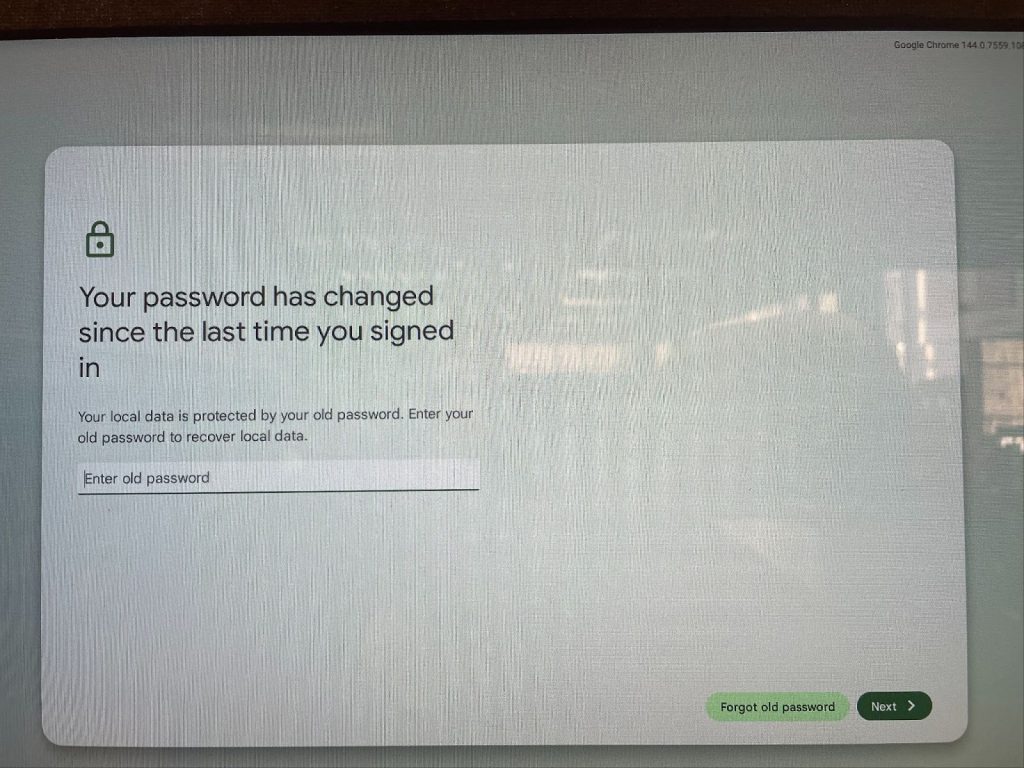
When logging into a chromebook after you have recently updated your password, you may be prompted with a window reading “Password has changed since the last time you signed in.”
Below are a few images to help users confirm they are solving the right problem and a step-by-step to help navigate through the prompts.
- Click on the button labeled “Forgot old password.
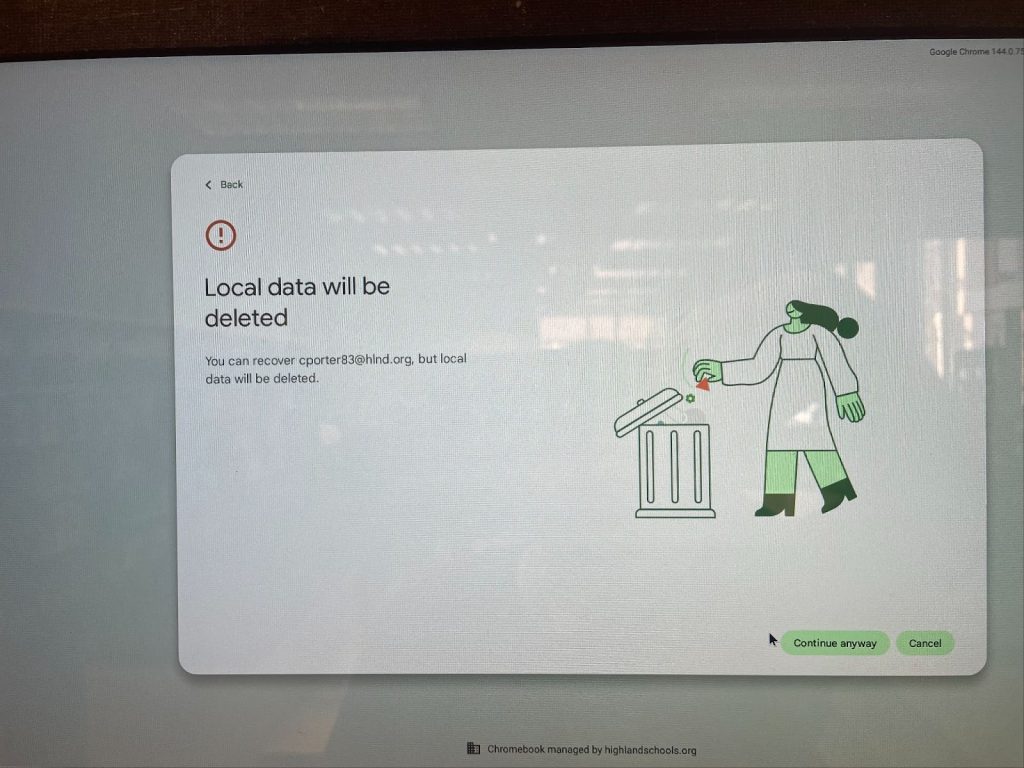
- On the next screen click on the button labeled “Continue anyway”
- Ignore the warning message. All of the data associated with google devices is saved on the cloud and will not be affected when data stored on the device locally is removed.
- You will be signed in after this is complete and able to use your account normally.