This tutorial will show you how to log out of a Chromebook.
If you are having trouble logging into your Chromebook or need to sign in with another account this tutorial is for you. It’s a simple one but important because just closing the lid does not actually sign you out.
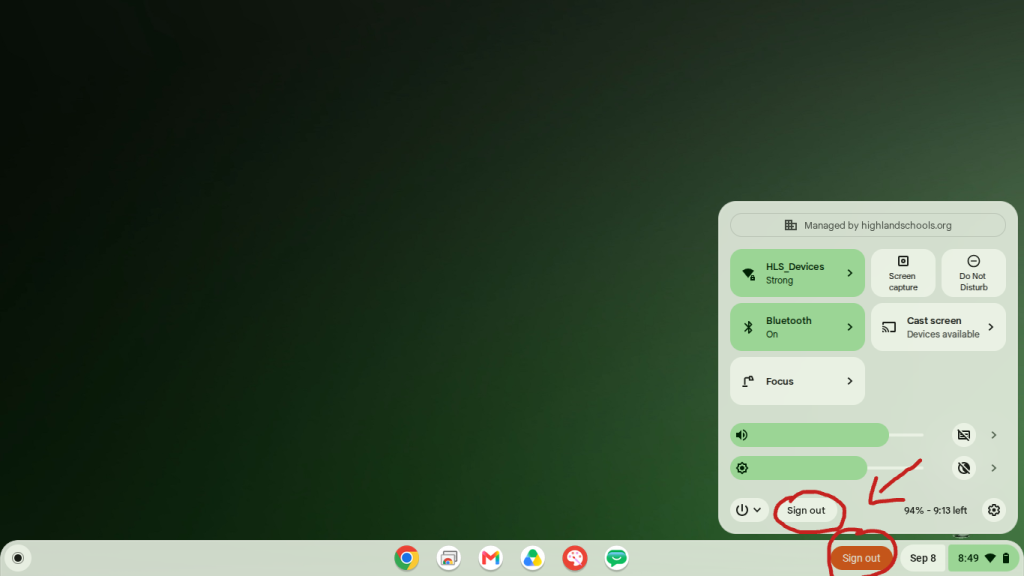
On the bottom right of your Chromebook next to the Date and Time you should see a Red Sign out button. Or if you click the Time you will see it in the menu that pops up.
If there’s no “Sign out,” for whatever reason select Power and then Shut down or Restart. (restarting will also completely sign you out)