
This article will show how to find icons such as Gifted, 504, Medical, as well as others
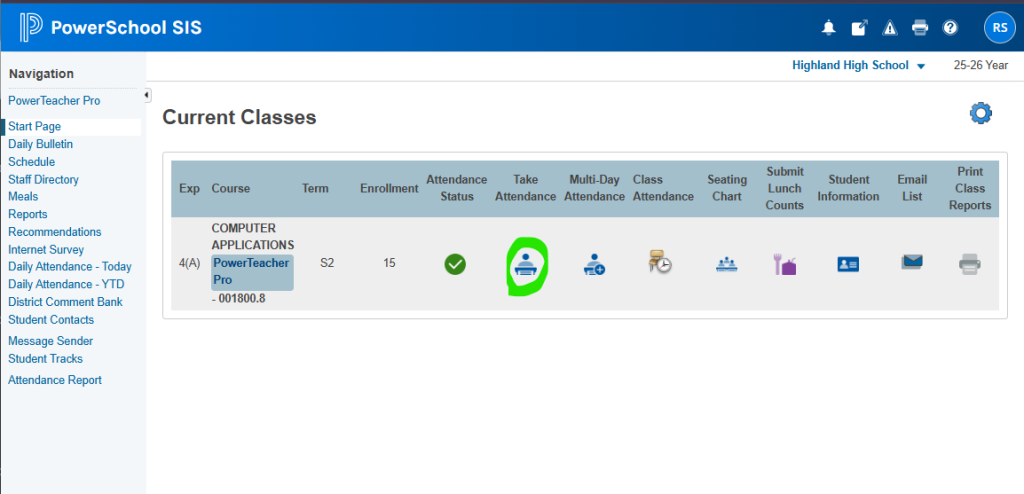
Click on Take Attendance from the PowerTeacher start screen.
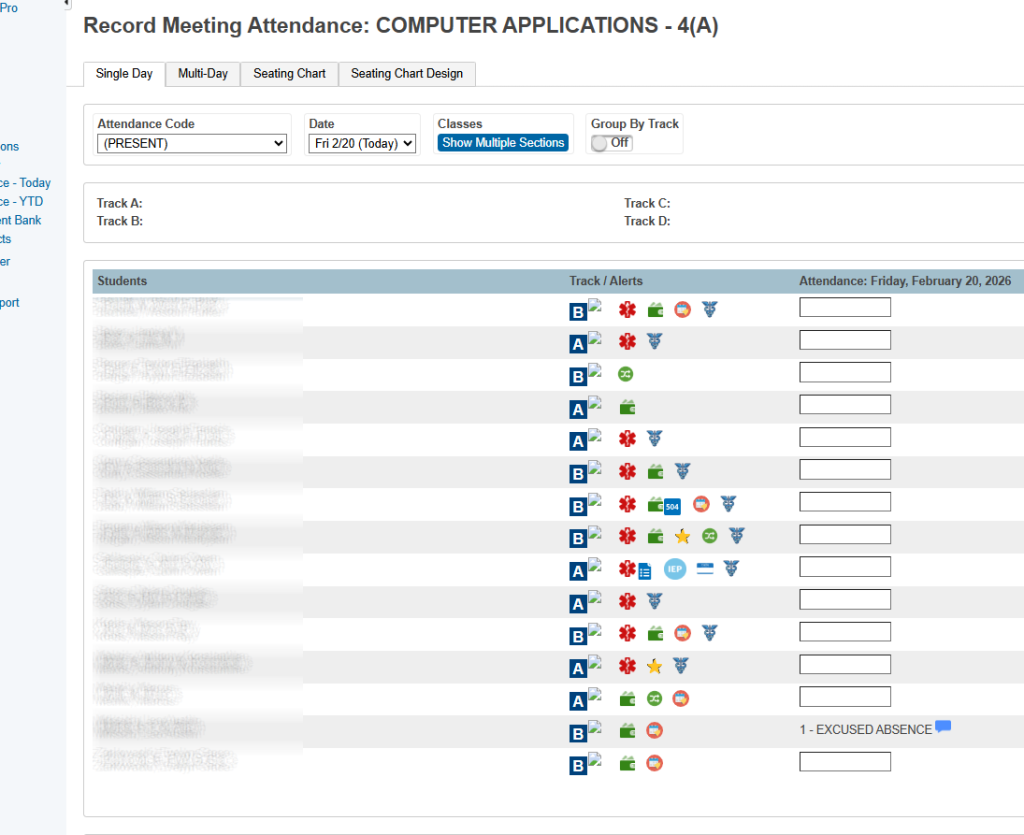
This will bring up a list of the students and the associated icons.
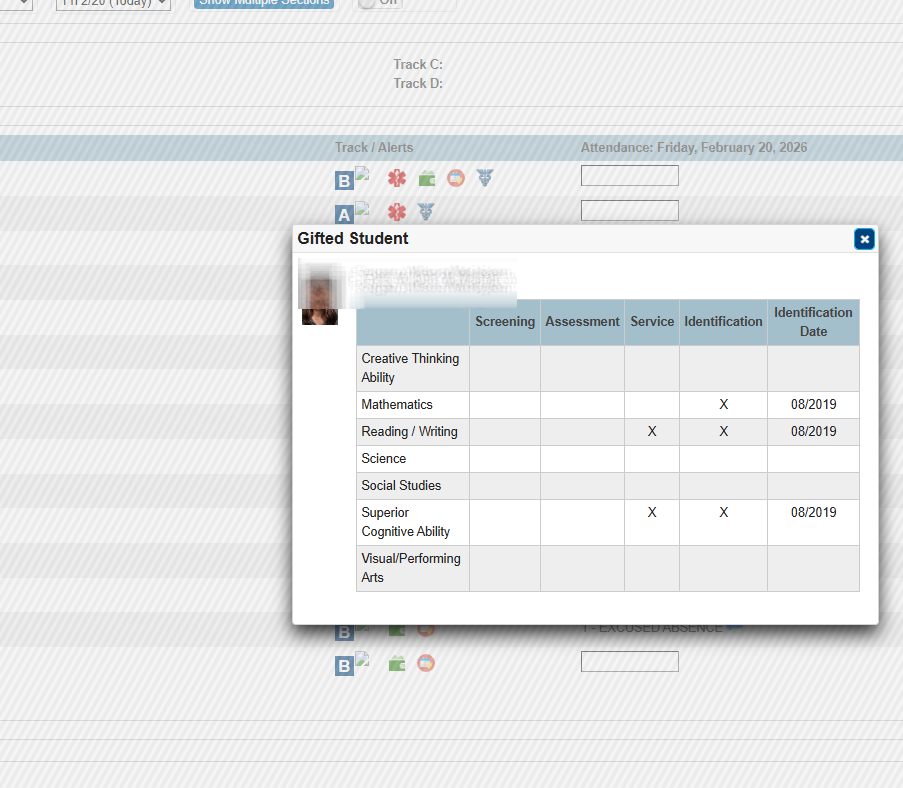
Clicking on one of the Icons will bring up the information associated with that icon.